

EventideCommunications.com
TRBOnet Plus Recording IntegrationSolution SummaryThe TRBOnet Plus Recording Integration from Eventide Communications® enables the recording of TRBOnet Plus audio calls onto NexLog® DX-Series recorders. It also enables the tagging or association of additional, call-related metadata fields with the recorder’s recordings for easy search, retrieval, and analysis, using the optional web-based MediaWorks DX incident playback user interface. TRBOnet Plus is an IP-based radio dispatch application or management console. All calls from radio networks that TRBOnet supports can be sent to a connected NexLog DX-Series recorder. Features
Note: This recording integration records audio calls only and does not record Text-to-911 messages or multimedia artifacts. GPS geolocation is not supported in this release. RequirementsSoftware version:
Licensing:
The number of required VoIP licenses is based on the maximum number of estimated simultaneous calls. Connectivity and DataThe TRBOnet Plus system sends audio calls and associated metadata to the NexLog DX-Series recorder. Each call is sent as a single RTP stream over a fixed UDP port. The recorder configuration consists in applying all required licenses to the recorder. Connectivity is then established by adding and configuring an RTP template to the recorder that specifies the required connection information and sufficient channels to handle recording capacity. The number of ports that an Administrator configures in TRBOnet Plus must match the number of channels configured on the NexLog DX-Series recorder. 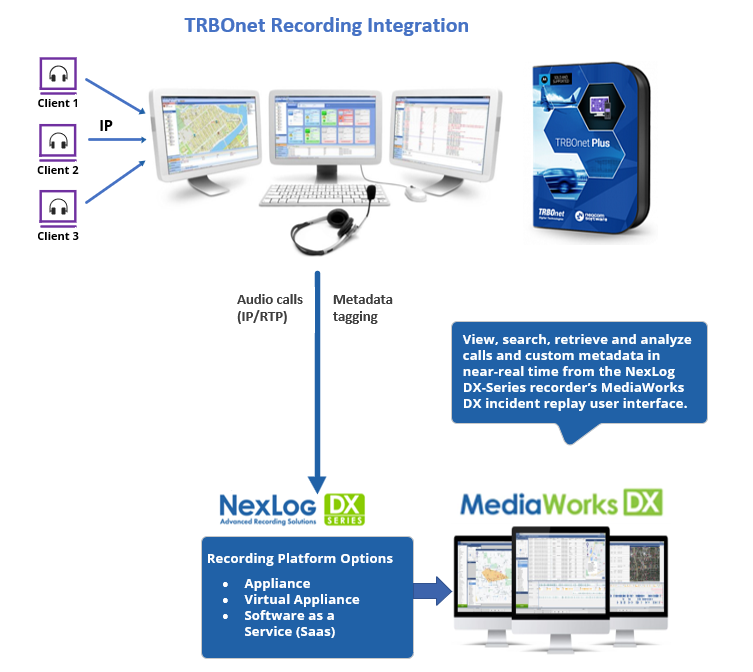 How to OrderTo obtain a license for the TRBOnet Plus Recording Integration, you must submit a purchase order (PO) by contacting the Communications Sales Department. Alternatively, you can add the license key part number to the sale of a new recorder. When ordering the TRBOnet Plus Recording Integration with license key, reference the following license key part numbers: Appliance: • DX980-TRBOnet Console Recording • DX939-Num Native VoIP/RTP Virtual Appliance (or SaaS): • S-DX980-TRBOnet Console Recording • S-DX939-Num Native VoIP/RTP After the PO is processed, you will receive unique license keys that you must enter into the recorder’s configuration manager to activate the TRBOnet Plus Recording integration. For more information, or if you have questions, contact Eventide Communications Sales. Email: loggers@eventidecommunications.com |

